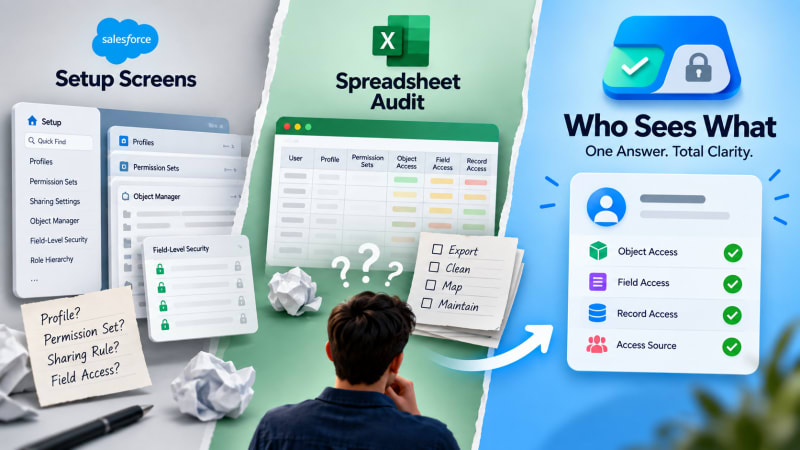
Three ways to answer an access question, honestly compared, including where each one actually wins.
Short answer: Native Setup screens are free and authoritative but organised around rules, not people, making any person-first question slow. A manual spreadsheet audit can answer person-first questions directly, at the cost of significant effort and a result that goes stale immediately. A purpose-built tool answers on demand, at the cost of being a separate thing to install, though in this case a free one.
What are native Setup screens good for?
Always available, no additional tool required, and the authoritative source, since every other approach ultimately reads the same underlying configuration.
The weakness: organised around profiles, permission sets and sharing rules individually, rather than around a person. Answering "what can this user do" means manually checking every rule that could apply, across separate screens for object, field and record access, none of which reference each other. This is why that question takes as long as it does.
What about a manual spreadsheet audit?
Can be structured around exactly the question the reviewer cares about, and produces a shareable, reviewable artefact a Setup screen does not.
The weakness: significant effort to build correctly, particularly capturing field-level security and record-level sharing. The result reflects a snapshot at export time and goes stale as soon as anything changes, often within days.
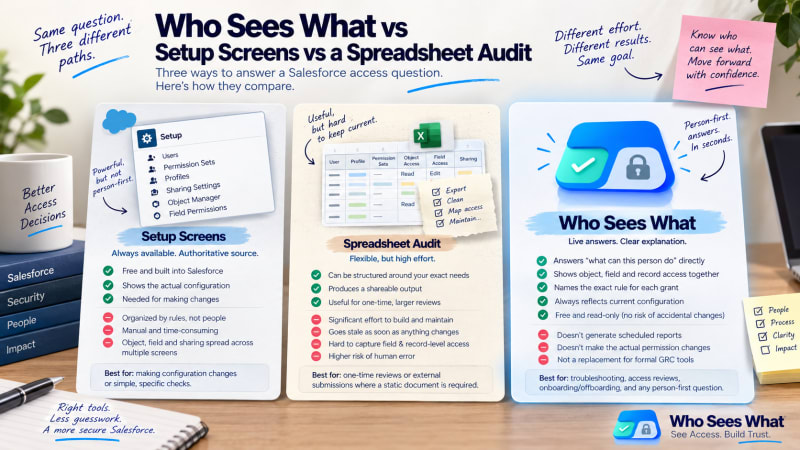
Three different starting points for the same underlying question.
Where does Who Sees What fit?
A native, read-only, purpose-built tool that queries the same underlying metadata as Setup, resolved from the person's perspective. It answers the person-first question in seconds, always reflecting current configuration, and names the specific rule responsible for each grant.
The honest limitation: it does one thing. It does not generate a scheduled report, does not integrate with an external GRC platform, and does not make the actual permission changes a finding might require.
Side by side
| Setup screens | Spreadsheet audit | Who Sees What | |
|---|---|---|---|
| Cost | Free | Free, high effort to build | Free |
| Query direction | Rule first | Whatever is built | Person first |
| Time per user | 30+ min | Hours to build | Seconds |
| Reflects current state | Yes | No, a snapshot | Yes |
| Shows granting rule | Manual cross-reference | If built to include it | Shown directly |
| Risk of modifying while checking | Present | None | None, read-only |
How should you choose?
Use Setup screens directly when the question is simple or you are making the actual permission change.
Build a spreadsheet audit when you need a static, formally submittable document and have the time to build it carefully.
Use a tool like Who Sees What when the question is genuinely person-first, which covers most troubleshooting, reviews, and onboarding or offboarding checks. That covers most of the moments this actually comes up.
Who Sees What is built and maintained by TwinStack Solutions, a Salesforce partner. Questions about setup: info@twinstack.net
See where the free option actually lands on this table.
Person-first, seconds per user, read-only. Try it against a question you already have.
Get It Now, Free